
Google's Android Show 2026: Everything You Need to Know — From Googlebook Laptops to Gemini AI, Rambler Dictation, and the Future of Android:
The End of the Chatbot Era? Google Turns Gemini into Android’s New Operating Layer:
Google's Android Show: I/O Edition 2026 dropped a wave of announcements that redefine what Android — and AI-powered computing — looks like in 2026.
Introduction: Google Goes All-In on Gemini Intelligence:
Google officially signaled that Gemini AI is no longer just a chatbot — it is the operating layer of Android. At the Android Show: I/O Edition 2026, held on Tuesday ahead of Google's annual developer conference, the tech giant unveiled a sweeping set of updates and brand-new hardware that puts Gemini Intelligence at the center of everything —
from new Googlebook laptops to smarter widgets, voice dictation powered by large language models, and a completely reimagined Android Auto experience. Whether you are a developer, a content creator, or an everyday Android user, the announcements from Google I/O 2026 signal one of the most transformative moments in Android's history.
Googlebook: Google's New AI-First Laptop Lineup:
Google officially entered the laptop market in a major way with the launch of Googlebook, its new line of AI-first laptops built from the ground up for Gemini Intelligence. Partnering with industry heavyweights like Acer, Asus, Dell, HP, and Lenovo, Google is bringing Googlebooks to market this fall in a wide variety of shapes and sizes — ensuring there is an option for every user, from students to enterprise professionals.
At the heart of every Googlebook is a feature called Magic Pointer — a revolutionary new cursor with Gemini built right in. This means users can invoke AI assistance at any point, on any application, without switching context. Googlebooks also offer deep Android phone compatibility, allowing users to run their Android phone apps directly from the laptop — a seamless bridge between mobile and desktop that has long been a pain point for Android users. Custom widget creation and proactive Gemini-powered help round out what makes Googlebook a genuinely new category of device, not just another Windows alternative.
Create My Widget: Vibe-Coded Custom Widgets Are Here:
One of the most exciting consumer-facing features unveiled at the event is 'Create My Widget,' Google's answer to the growing demand for personalized mobile home screen experiences. Launching first on Samsung Galaxy and Google Pixel phones this summer, this feature lets users vibe-code their own custom widgets using nothing but natural language — no programming knowledge required.
The possibilities are immediately practical and highly personal. A user could type something as simple as "suggest three high-protein meal prep recipes every week" and instantly receive a fully functional dashboard widget they can resize and pin to their home screen. This represents a landmark shift in how everyday users interact with Android customization and AI, making the smartphone home screen a truly dynamic, personalized interface.
Rambler: Google's Gemini-Powered Dictation Feature That Could Shake Up the Market:
Perhaps the most disruptive announcement of the entire event was Rambler — a new AI-powered voice dictation feature baked directly into Gboard, Google's keyboard app used by hundreds of millions of Android users worldwide. Announced as part of Gboard's feature set at the Android Show: I/O Edition 2026, Rambler directly competes with popular dictation apps like Wispr Flow, Superwhisper, Monologue, Willow, and Typeless — and it does so from a position of enormous distribution advantage.
Rambler is not just a transcription tool — it is an intelligent editing layer powered by Gemini multilingual models. It strips out filler words like "ums" and "ahs" and handles mid-sentence corrections with remarkable nuance. If you say, "Let's meet at 3 p.m. … um, 2 p.m.," Rambler posts "Let's meet at 2 p.m." — understanding intent, not just audio. That kind of contextual comprehension puts it ahead of many standalone dictation apps on the market today.
Critically, Rambler supports code switching— the ability to seamlessly move between languages mid-sentence. For multilingual speakers, especially across markets like South Asia, Latin America, and Southeast Asia, this reflects how people actually communicate. Ben Greenwood, Director of Android Core Experiences at Google, described Rambler as "reinventing the keyboard," and that framing is not hyperbole. The feature uses a combination of on-device and cloud-based processing and does not store voice recordings, positioning it as a privacy-respecting alternative to third-party dictation apps.
For startups in the AI dictation space, the implications are significant. Most of the dictation app ecosystem — Wispr Flow, Monologue, Superwhisper — built their audience on desktop and iOS, leaving Android underserved. Rambler changes that calculus entirely. With Gboard installed as the default keyboard for the vast majority of Android devices globally, Rambler arrives pre-installed for hundreds of millions of users. Stand-alone dictation apps will now need to offer something meaningfully better in terms of accuracy, privacy, or workflow depth to justify a separate download.
Gemini's Agentic Features: AI That Acts Across Apps:
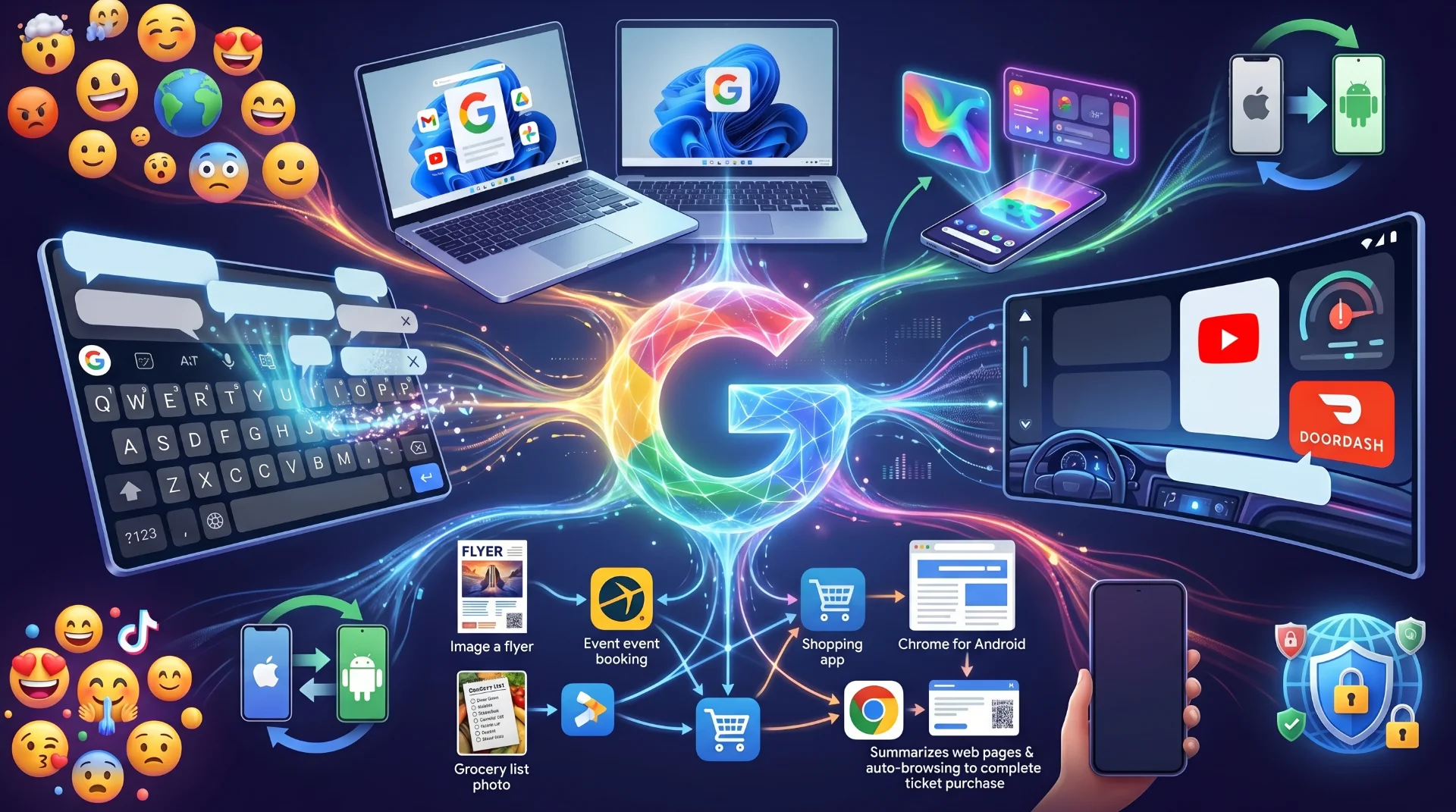
Google's Gemini Intelligence is getting significantly more agentic — meaning it can now take information from one app and execute multi-step tasks across other apps, autonomously. This is a qualitative leap beyond answering questions. Imagine photographing an event flyer and asking Gemini to find that event on Expedia — it handles the research, cross-referencing, and surfacing of relevant results without you opening a browser.
Or picture having your grocery list on screen and asking Gemini to build a cart in your preferred shopping app based on those items. These are not demos — they are rolling out as real features.
Gemini's new form-filling capability takes this a step further. Through an opt-in feature tied to Personal Intelligence, Gemini can use your stored data to auto-fill complex mobile forms — a capability that could save significant time for anyone navigating government portals, insurance forms, or multi-field sign-ups on mobile.
Gemini in Chrome for Android: AI Browsing Gets Even Smarter:
Following earlier launches on iOS and desktop, Gemini is now coming to Chrome on Android — and it brings with it some of the most ambitious AI browsing features yet. Android users will be able to summarize web content, ask contextual questions about what they see on a page, and access the experimental auto-browse feature that can navigate websites and complete real-world tasks — like booking a ticket — entirely on a user's behalf. This positions Chrome on Android as not just a browser, but an AI agent for the web
Android Auto Revamp: Edge-to-Edge, Widgets, and YouTube at 60 fps:
Android Auto is receiving a comprehensive redesign that makes it more adaptive, personalized, and media-rich than ever before. The new edge-to-edge experience is designed to fit any screen shape — circular, ultrawide, or unconventional dash layouts — and users can add custom widgets to see the information that matters most at a glance while navigating.
Media is getting a major upgrade too, with redesigned interfaces for YouTube Music and Spotify making them far more usable behind the wheel. More impressively, YouTube video playback at 60 fps in full HD is coming to Android Auto this year, launching in partnership with BMW, Ford, Genesis, Hyundai, Kia, Mahindra, Mercedes-Benz, Renault, Škoda, Tata, and Volvo. And with Gemini now rolling out broadly on Android Auto, drivers can ask questions, brainstorm, and even place food orders via DoorDash — entirely hands-free.
More Android Features: Emoji, Screen Reactions, AirDrop & Security:
Google is refreshing all 4,000 Android emojis with a more expressive, three-dimensional aesthetic — designed to feel less flat and more true to life. Arriving later this year, the redesigned emoji set will give Android's visual communication layer a meaningful upgrade that aligns more closely with how users actually express themselves in messaging. For content creators, Android is launching Screen Reactions — a feature that records both you and your screen simultaneously, a format popularized on TikTok and Instagram Reels.
Rolling out first on Pixel devices this summer, Screen Reactions also comes with enhanced Instagram integrations via a Meta partnership, including Ultra HDR, native stabilization, and night mode — plus exclusive access to Meta's Edit app with smart enhance and sound separation tools.

Anthropic’s Surprise Double Launch Directly Targets OpenAI and Google’s AI Dominance
AirDrop compatibility is expanding beyond Pixel to Samsung, Oppo, OnePlus, Vivo, Xiaomi, and Honor devices — making Android-to-iPhone file sharing a mainstream capability. For users without compatible hardware, Quick Share can generate a QR code for cloud-based file transfers to iPhone. Quick Share is also coming inside apps like WhatsApp, and a new iOS-to-Android migration tool will let users seamlessly import passwords, photos, messages, contacts, eSIM data, and even their home screen layout when switching devices.
On the security front, Google's theft protection features — previously tested in Brazil — are expanding globally and will be enabled by default on all new Android 17 devices. Features like Remote Lock and Theft Detection Lock are now automatic, PIN attempt limits are tighter, and Android 12+ devices will now surface an IMEI on the lock screen for law enforcement verification. Pixel users with Advanced Protection Mode also gain Intrusion Logging, a powerful new forensic tool to investigate suspected spyware or device compromises.
Pause Point: Google Builds a Digital Wellness Speed Bump:
In a thoughtful nod to digital wellness, Google is introducing Pause Point — a feature that adds a 10-second friction layer before opening apps you have flagged as distractions. Before scrolling into your chosen time-sink, you are presented with alternative actions — like opening Google Play Books to read. An optional timer can also cut you off after a set period, making Pause Point one of the more genuinely useful Android screen time management tools to date.
Conclusion: Android in 2026 Is an AI-First Platform:
Taken together, the announcements from Google's Android Show: I/O Edition 2026 paint a clear picture — Android is no longer just a mobile operating system. It is becoming an AI-first, cross-device platform with Gemini at its core, capable of acting autonomously, adapting to individual users, and bridging the gap between phones, laptops, cars, and the web.
From the Googlebook's Magic Pointer to Rambler's conversational dictation, from agentic Gemini to Pause Point's mindful friction, Google is betting that the future of computing is personal, proactive, and powered by AI.
Support our research
Independent analysis fueled by you.
For users, developers, and competitors alike — including dictation startups, laptop makers, and browser vendors — the message from Mountain View is unmistakable: Gemini is everywhere, and Android 2026 is just the beginning.